A US passport photo is judged on things you can measure: its shape, how much of it your head fills, the background, and, if you renew online, its file. So we made two portraits, ran each through five free passport photo makers that work in a browser, and measured every file they gave back against the State Department’s rules.
The test
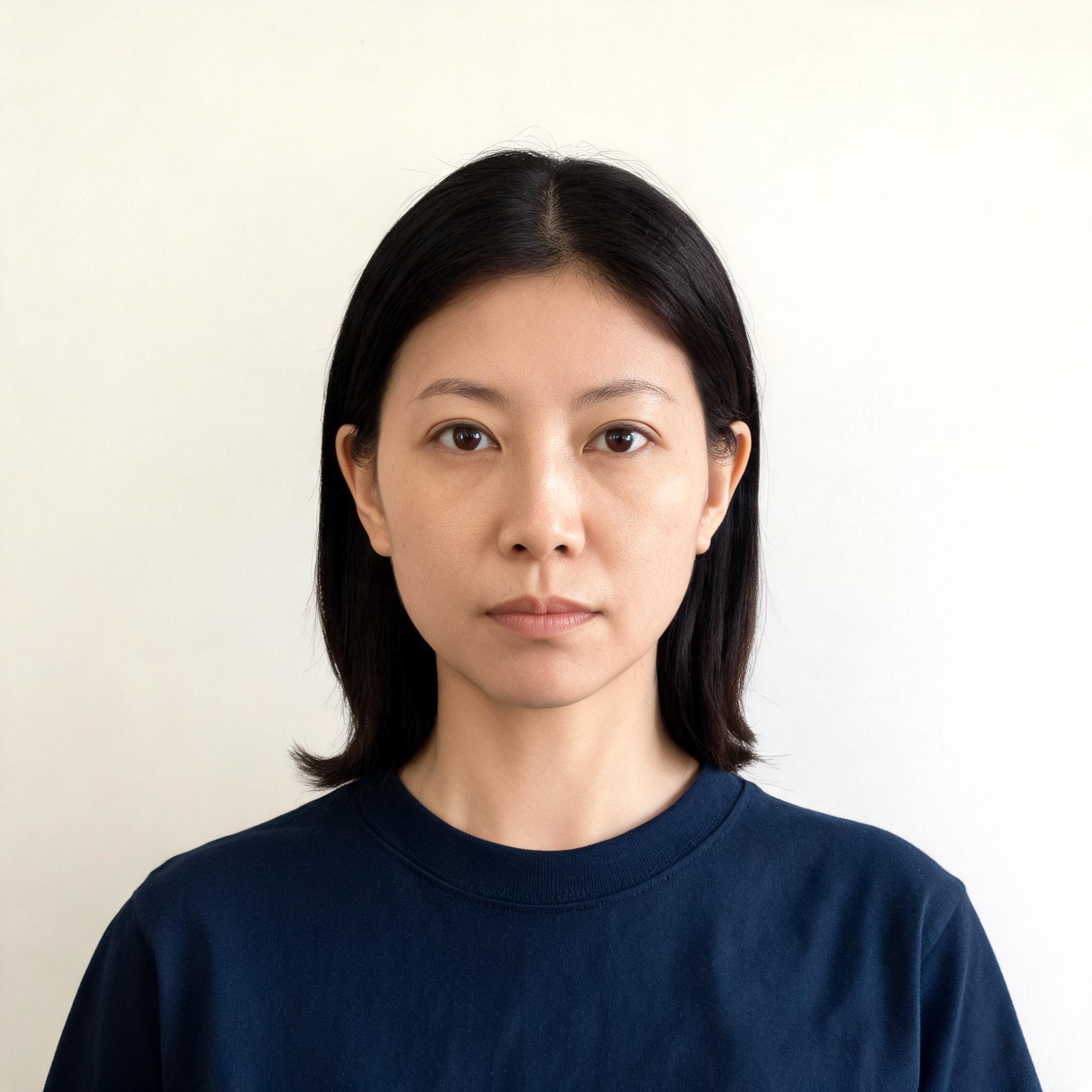
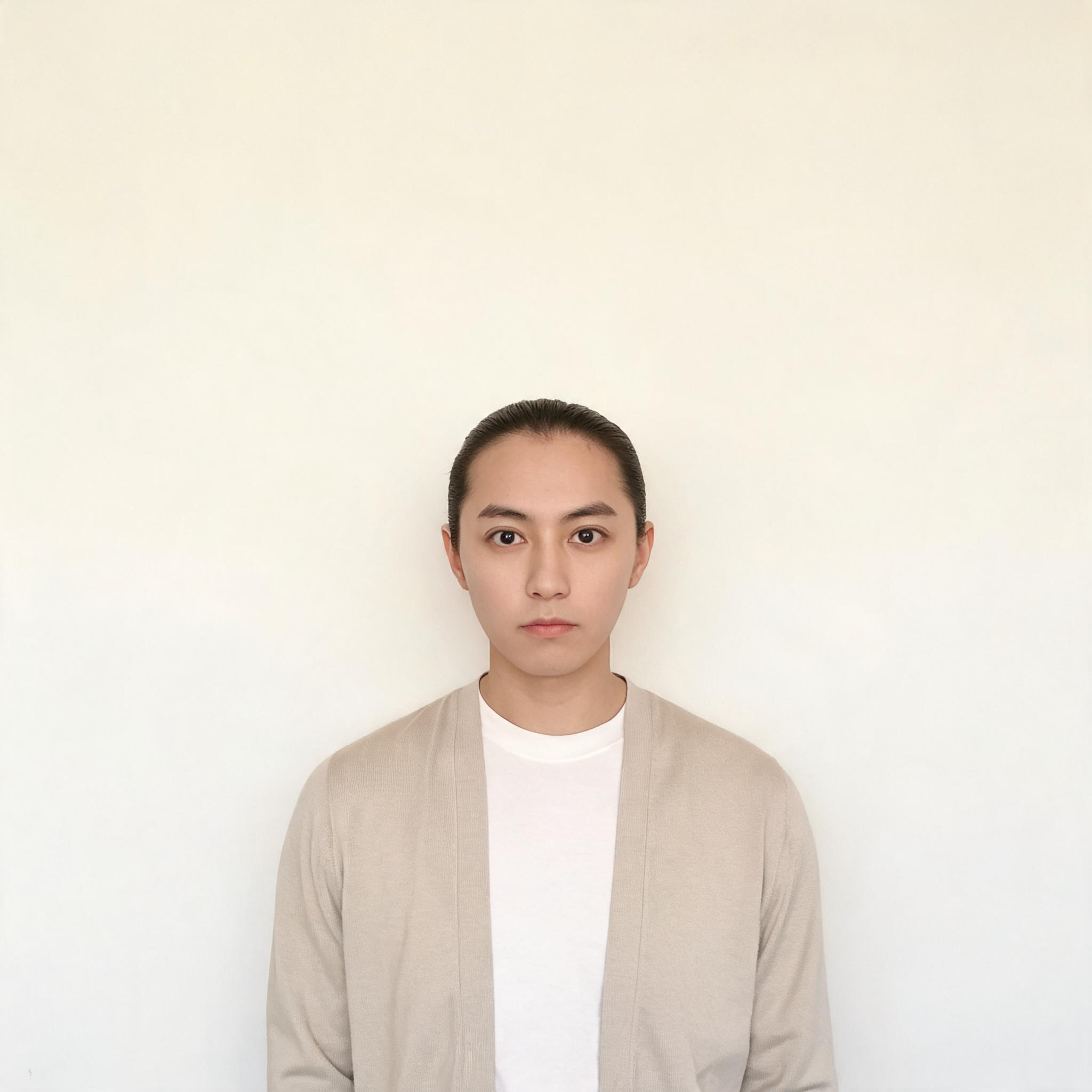
- The photos: two portraits of invented people, made with an image model, against an off-white wall: a close-up, where the head fills about half the frame, and one taken from further away, where it fills about a quarter. Neither is a real person.
- The rules, from the State Department’s passport photo page and its page on photos for online renewal: a square photo, 2 × 2 inches, in colour; the head, from the bottom of the chin to the top of the head, hair included, 25 to 35 mm of the 51, which is 49% to 69% of the photo’s height; the head centred; a plain white or off-white background; and, to renew online, a JPG, PNG, HEIC or HEIF file of 54 KB to 10 MB.
- The tools: LensUp’s passport photo maker, PassportPhotoWiz, PassportPhoto.app, Passlens and PassportPhotoSnap, each on its own site, in Chromium on a desktop, with no account, on 13 October 2026. In each we chose the US passport size and saved the single photo it offers. Passlens frames the photo when you press its Auto Create Compliant Photo button, so we pressed it; PassportPhotoSnap framed the photo by itself after the upload; LensUp, PassportPhotoWiz and PassportPhoto.app start from a crop you adjust by hand, and we kept it. Each file is in the tool’s default format, except Passlens, which asks PNG or JPEG, where we took JPEG.
- The checks, by a script, on each file: seven of the rules above — square, head height, centred, background, colour, file type and file size; the print size is reported, not scored. The chin is found by a face-landmark model and the top of the hair by where the wall’s colour stops; «centred» means the face’s middle within 45% to 55% of the width, and «off-white» a corner colour with a luminance of at least 200 and channels no more than 40 apart — those two limits are ours.
Results, as of 13 October 2026
| Tool | Head, close-up | Head, far | Checks passed, close-up / far |
|---|---|---|---|
| LensUp | 51% (in range) | 25% (too small) | 7 of 7 / 5 of 7 |
| PassportPhotoWiz | 51% (in range) | 25% (too small) | 7 of 7 / 5 of 7 |
| PassportPhoto.app | 64% (in range) | 31% (too small) | 6 of 7 / 5 of 7 |
| Passlens | 59% (in range) | 60% (in range) | 7 of 7 / 7 of 7 |
| PassportPhotoSnap | 62% (in range) | 58% (in range) | 7 of 7 / 7 of 7 |
| Tool | Format | File size, close-up / far | Print size it says |
|---|---|---|---|
| LensUp | JPEG | 73 KB / 43 KB (too small) | 300 per inch (2 × 2 in) |
| PassportPhotoWiz | JPEG | 73 KB / 47 KB (too small) | none |
| PassportPhoto.app | JPEG | 51 KB (too small) / 29 KB (too small) | none |
| Passlens | JPEG | 77 KB / 63 KB | none |
| PassportPhotoSnap | PNG | 476 KB / 330 KB | none |
Every photo was square and in colour, with the head centred and the wall white or off-white.
What it means
From the close-up, every tool’s head height was in range, from 51% to 64%.
From the far photo, two tools framed the head for you: Passlens and PassportPhotoSnap brought it to 60% and 58%. LensUp, PassportPhotoWiz and PassportPhoto.app kept it at 25%, 25% and 31%, too small, so you would have to zoom in yourself before saving. LensUp is one of those three: its maker draws head and eye guides but leaves the framing to you. That is where it did worse here.
The files differ too. To renew online, a photo must be at least 54 KB. LensUp’s far photo was 43 KB, PassportPhotoWiz’s 47 KB, and PassportPhoto.app’s 51 KB and 29 KB: too small to upload as they are. Passlens and PassportPhotoSnap stayed above it; PassportPhotoSnap saves PNG files by default, a format the online renewal lists.
Passlens and PassportPhotoSnap passed all seven checks with both photos.
Only LensUp’s files say what size to print them: 300 pixels per inch, which makes 2 × 2 inches. The others carry no print size, so the size on paper depends on your print settings; we report this but did not score it.
Which one to use
From a close-up, all five gave a head of the right size. From a photo taken further away, Passlens and PassportPhotoSnap did best here: they framed the head, and their files met the online renewal’s format and size rules. In LensUp, zoom in until the head fills the guides before you download, and check the file is at least 54 KB if you will renew online.
Check it yourself
- All results (CSV): one row per tool and photo — each check, the measured values, and where and when it ran.
- Every saved photo (ZIP): what each tool saved, the steps of each run, and the measurements the checks read.
- The photos we started from: the close-up and the far one.
Limits
- Two photos of two invented people against an off-white wall. Real photos bring shadows, glasses, hair across the face and tilted heads, which these do not test.
- The head is measured, not judged by a person: the chin by a face-landmark model (MediaPipe) and the top of the hair by the wall’s colour, so a value can be slightly off.
- One run per tool and photo. Before the runs we opened each tool with the same photo to learn its steps.
- Passing these checks does not mean a photo will be accepted: the State Department reviews every photo, and wants an original, unedited one.
- Not tested: printing, visa photos (whose digital files have stricter rules), other countries’ sizes, replacing the background, and whether a tool uploads your photo.
- Not run: idphoto4you, which asks you to accept that your photo is stored on its server before you can upload; IDPhotoDIY, whose digital photo is behind a checkout; and Pi7, whose terms allow personal use only.
- We built LensUp and chose the test. The files are above for anyone who wants to rerun it.